Cookies
We use cookies on this website. Cookies help us deliver the best experience on our website. Read about cookies.
-
- Search, borrow and request
- Search tools and databases – where to start!
- Access to e-resources
- Borrowing and requesting books
- Order books and articles
- Distance students
On the page -
- At the Library
- At the Library
- Opening Hours and Contacts for Malmö University Libraries
- Find your textbooks: how it works at the library
- The library for the General Public
-
- The library as a study environment
- Pausa
- Book a group room at the Library
-
- Events and exhibitions
- The Researchers Gallery
- MaU Reads
- Students' Art Gallery
- About the University Library
On the page
New interface for EBSCO databases
Interface updates for
EBSCO databases
EBSCO databases
Changes to default search settings and navigation.
9 June: The deafult search setting will change from Proximity to Find all my search terms. We will also add the Advanced results page with easy access to search history.
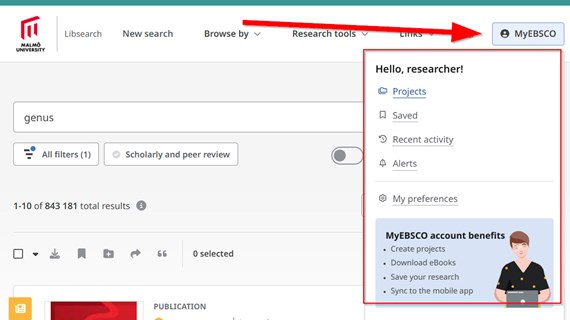
7 July: Major updates to EBSCO interface – My dashboards, subjects and other links on the left side will move to the top, leaving space for filters on the left side.
Questions and support:
biblioteket@mau.seMinimum Browser Requirements for EBSCO databases
- Use Firefox, Google Chrome, Safari or Microsoft Edge.
- The latest version plus one previous version of the browser.
- Javascript, Cookies enabled.
- Safari users note: When using EBSCO interfaces, Private mode is not supported in Safari on iOS and macOS.
Page modified: 2026-06-02